Players with beatgrid
Pitch, keylock, SYNC and nudge for transitions that land right on the beat.
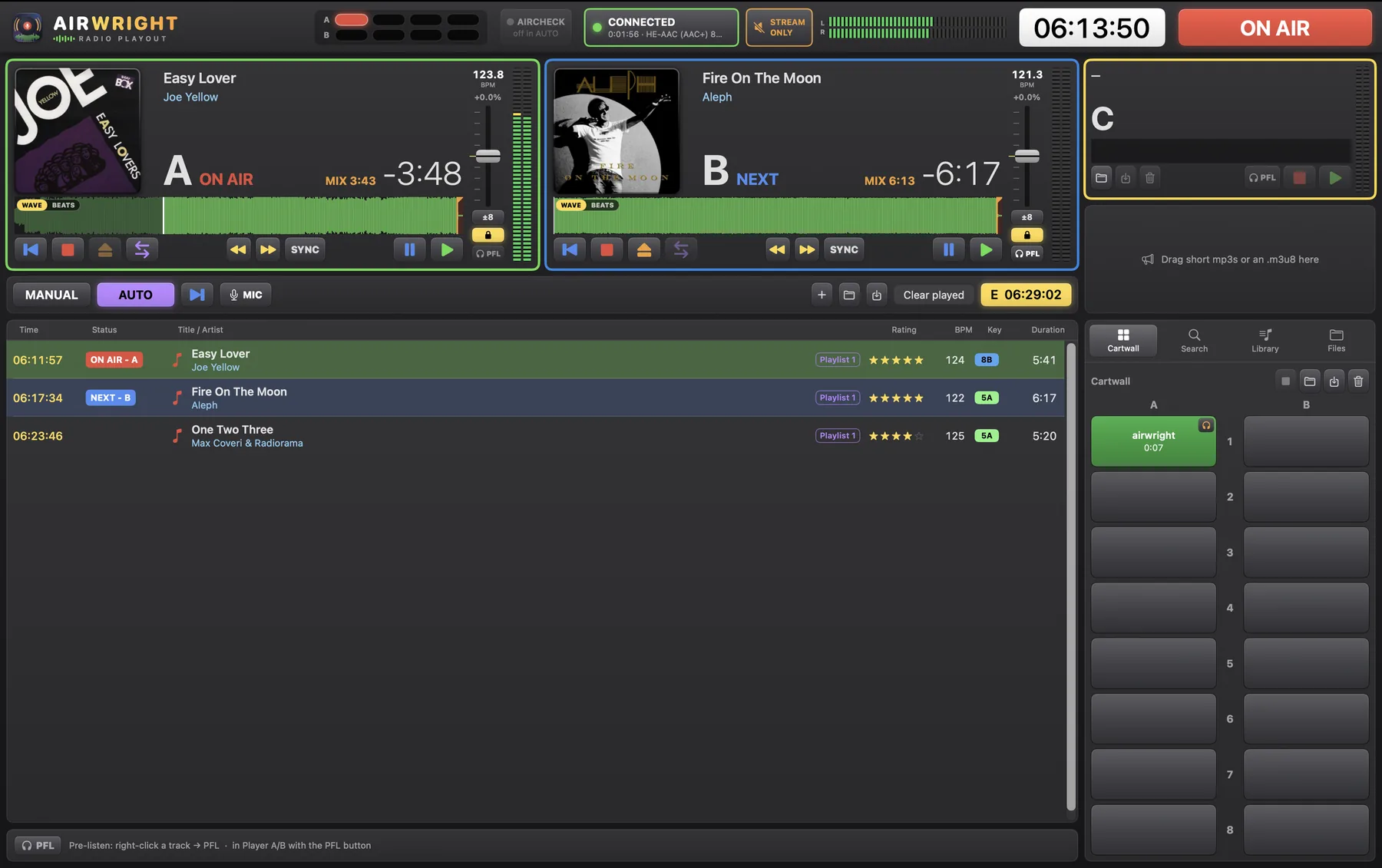
Airwright is the playout software for community stations, internet radio and DJs. Everything you need to broadcast live or 24/7, in one clear screen.
For macOS 14 Sonoma or later.
Dark, calm and clear: made for long hours in the studio.


Install Airwright and try everything. In the demo each track plays for 30 seconds. With a licence key everything works without limits.
Download Airwright for MacFrom an evening show to a station that runs day and night.
Pitch, keylock, SYNC and nudge for transitions that land right on the beat.
Airwright mixes on the mix points by itself and fills the playlist automatically.
Jingles, beds and effects right under a button, also from your mixer.
Straight to your stream server, including HE-AAC, with live status on screen.
Fader start, buttons and lamps work together with your D&R mixing desk.
Pre-record your links and let Airwright play them at exactly the right moment.
Import schedules, start them on time and keep a proof of broadcast.
Control Airwright and watch the mixer from your phone or tablet.
Aircheck, play log, silence detection, recovery after a restart and alerts when something goes wrong.
Airwright runs on Macs with macOS 14 Sonoma or later.
In the demo you can explore and set up everything. Player A, B, C and the cartwall play each item for 30 seconds, then the next item follows. With a licence key everything works without limits.
No. Internet is only needed once to activate the licence. After that Airwright also works offline.
Yes. Airwright works with the D&R Airlite and the D&R Webstation (fader start, buttons and lamps) and can also be controlled via MIDI, keyboard shortcuts and the web control.
A licence works on one computer at a time. Deactivate it in Settings → License and then activate it on the other Mac.
Send us an email and we'll get back to you soon. Also for a licence key or help with setting up.